

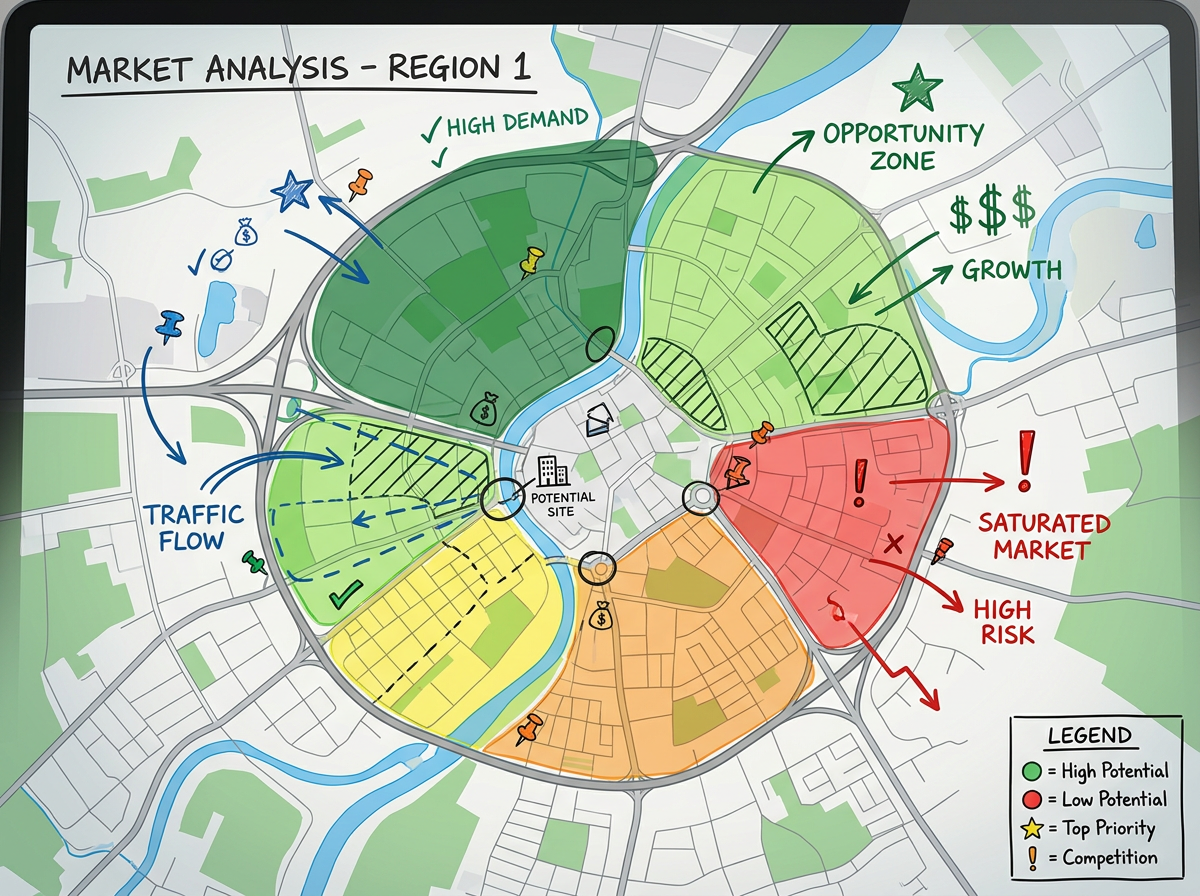
Market analysis maps
Plot the market on a map. Color it by region, segment or score and use the view to walk the client through the findings.

 English
 Español
 Français
 Deutsch
 Português
 日本語
 中文
 العربية
 한국어
 Italiano
 Русский
 Türkçe
 Nederlands
 Polski
 हिन्दी
 Dansk
 Čeština
 Română
 Ελληνικά
 Tiếng Việt
 Suomi
 Українська
 Indonesia
 Svenska
 Norsk bokmål
 Hrvatski
 Magyar
 Български
 中文(繁體)
 Slovenčina
 Srpski
 ไทย
 Eesti
 Català
 Lietuvių
 עברית
 Slovenščina
 فارسی
 Latviešu
 Azərbaycan
 Беларуская
 Melayu
 Bosanski
 ქართული
 Shqip
 Gaeilge
 Монгол
 ဗမာ
 O‘zbek
 اُردو
 Македонски
 ខ្មែរ
 Nynorsk
 বাংলা
 Galego
 Euskara
 Íslenska
 தமிழ்
 ລາວ
 ગુજરાતી
 Latina
 मराठी
 Қазақ тілі
 ਪੰਜਾਬੀ
 Afrikaans
 नेपाली
 አማርኛ
 తెలుగు
 ChiShona
 Cymraeg
 Føroyskt
 অসমীয়া
 Brezhoneg
 Esperanto
 Basa Jawa
 کٲشُر
 Ирон
 Sardu
Drop in client data, draw the analysis and brief the room with one link. Skip the heavy GIS work for client deliverables. Free to start.
 4.7 / 5 · G2上有 200 則評論
★ ★ ★ ★ ★“I use Scribble Maps for client deliverables when I need a sharp, shareable map without spinning up the full GIS stack. The export options are great for slide decks.”
Drop in a CSV from your client. Each row is geocoded and dropped on the map. Skip the data prep and start the analysis.
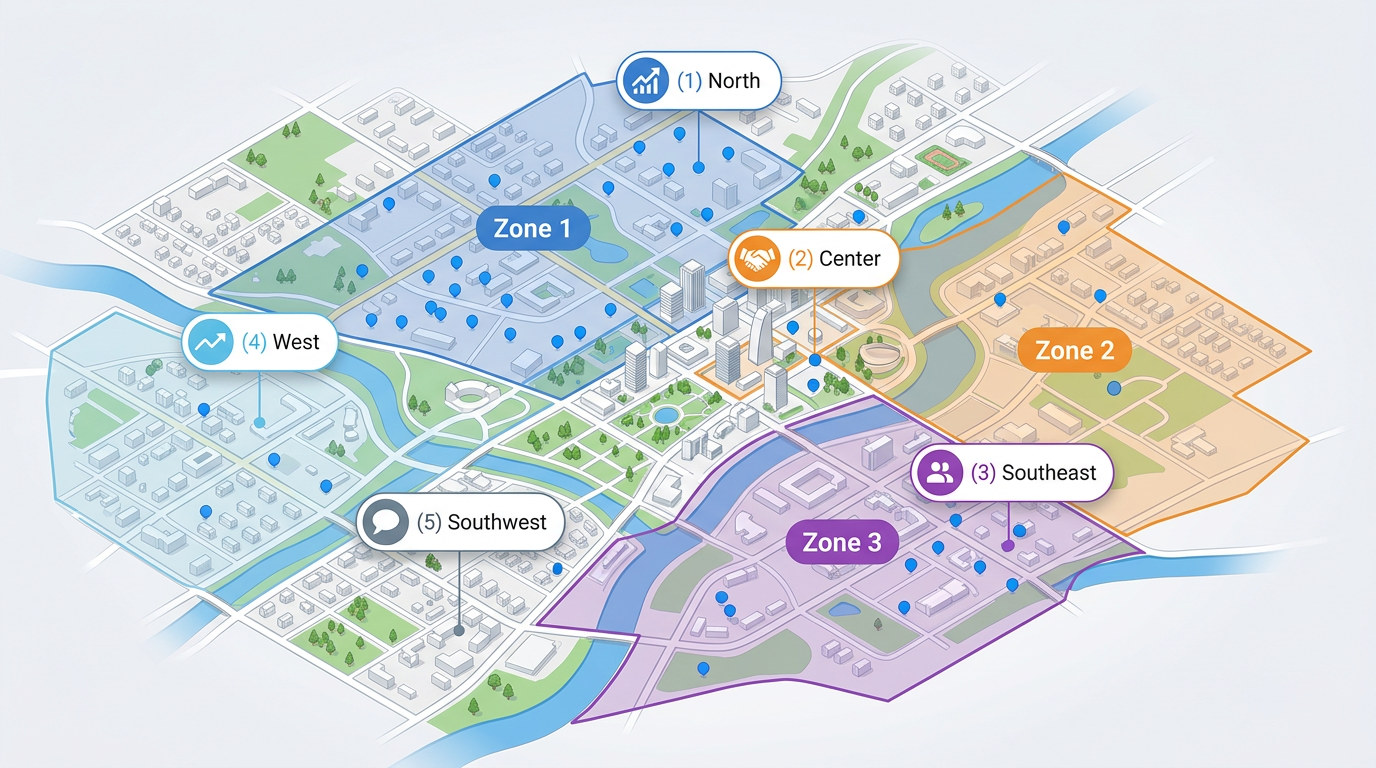
Sketch market zones, label findings and highlight gaps. Use real satellite or street views so the client sees the story right away.
Share a clickable map with the client team or the board. They open it in any browser. No installs and no logins.
Plot the market on a map. Color it by region, segment or score and use the view to walk the client through the findings.
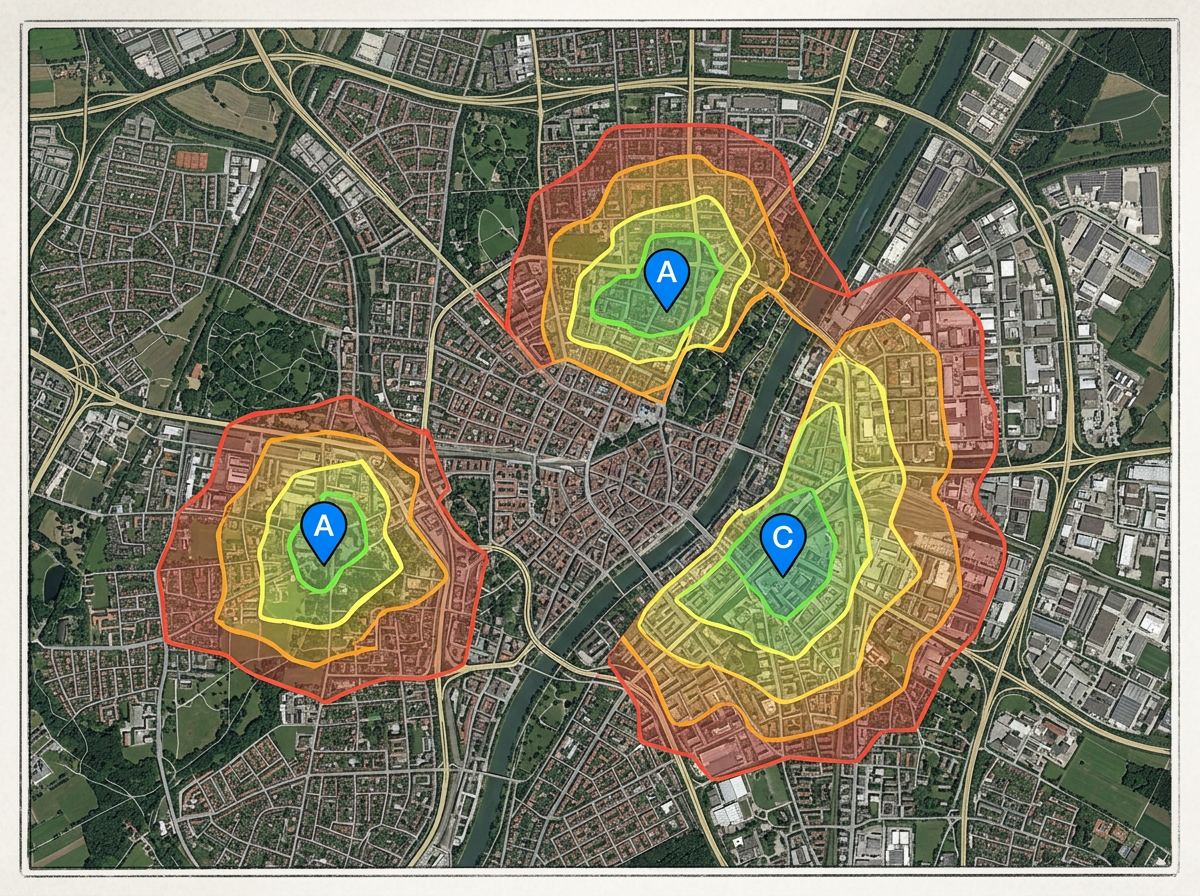
Compare candidate sites on one map. Use travel-time zones to show which sites reach the most customers or workers.
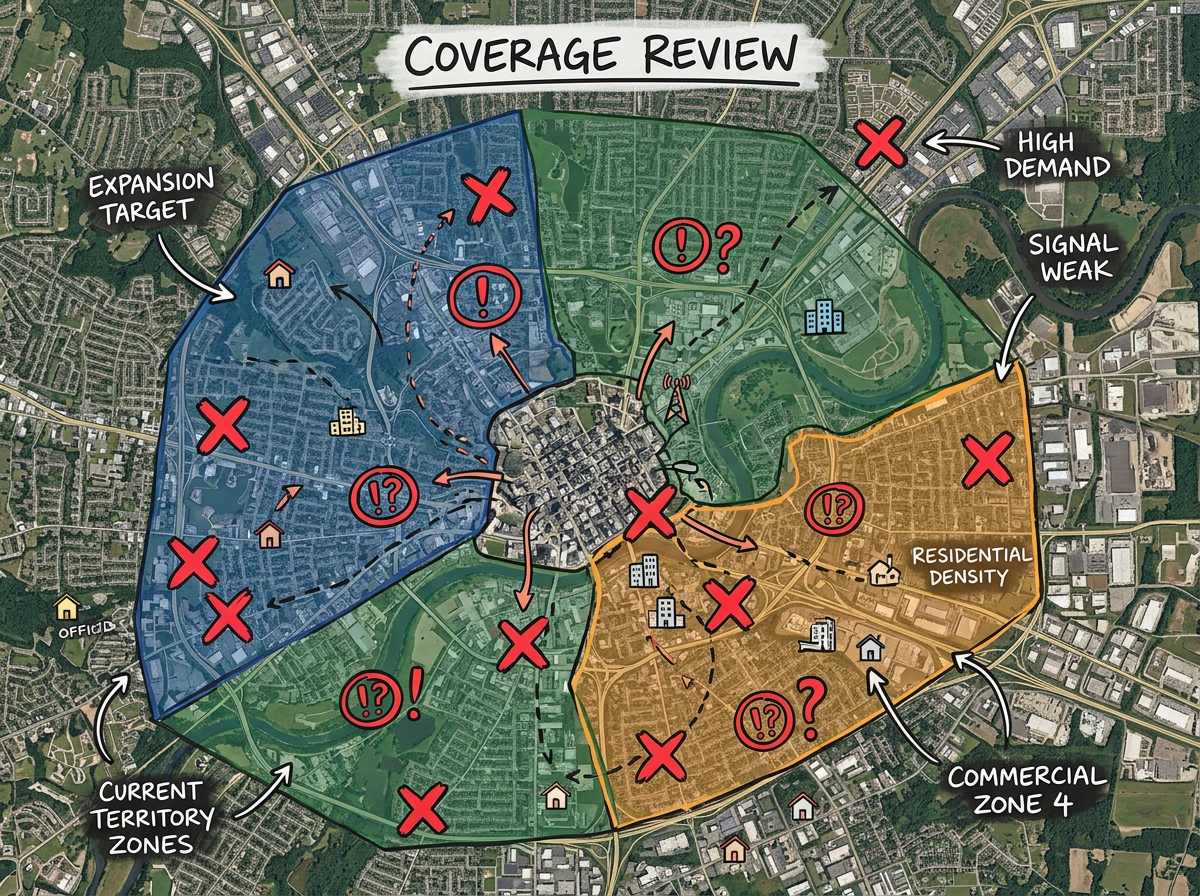
Map the client's current sales or service coverage. Spot the gaps and the overlaps and bring the recommendation to the next meeting.
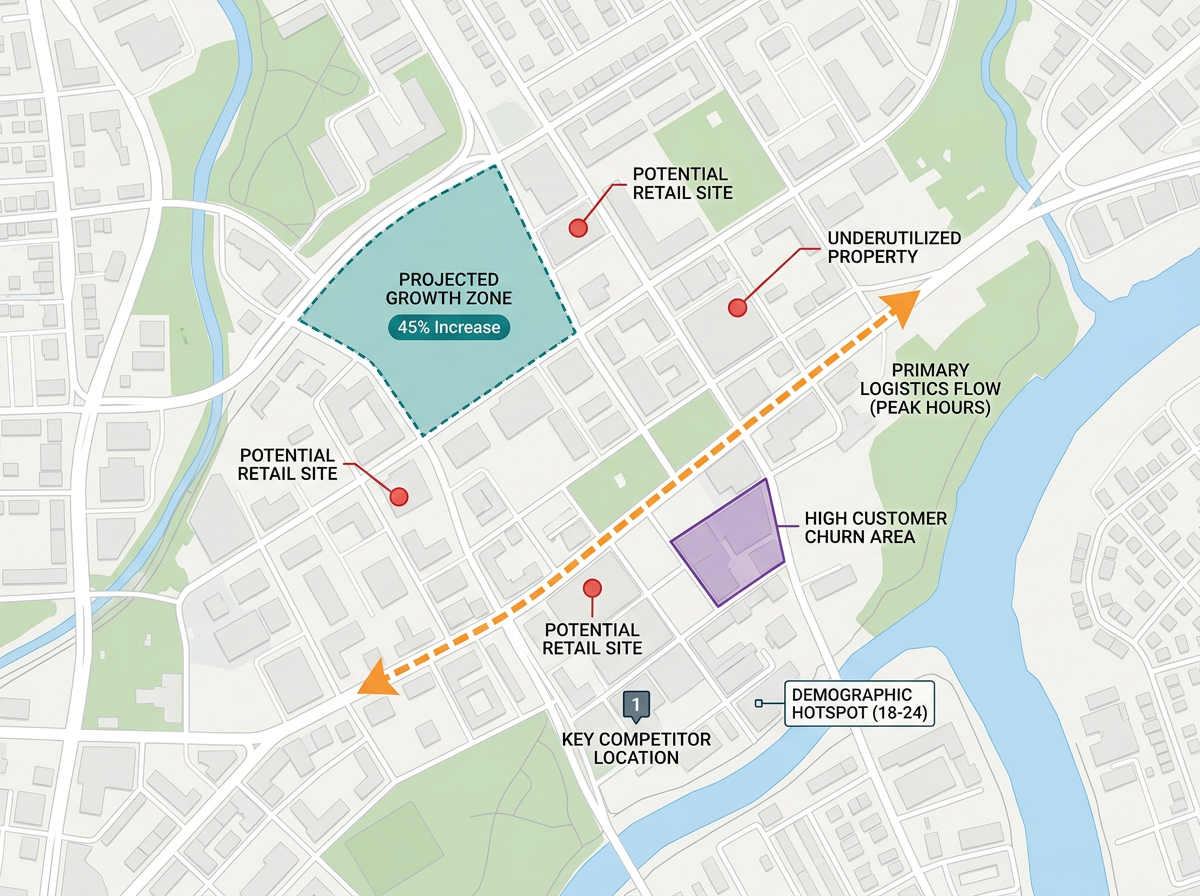
Export the map to PDF or PNG for the deck. Hand off the data as KML or GeoJSON so the client team can use it in their own tools.
Scribble AI
告訴Scribble AI您需要什麼。試試「在每個地點周圍繪製500m緩衝區」、「匯入此CSV並依狀態著色」或「測量從倉庫到每個停靠點的路線」。幾秒鐘就能完成。無需GIS訓練,您的團隊也能取得同一張可直接分享的地圖。
試用Scribble AI →★ ★ ★ ★ ★“I use Scribble Maps for client deliverables when I need a sharp, shareable map without spinning up the full GIS stack.”
★ ★ ★ ★ ★“It enables me to easily draw, label, and personalize maps without needing advanced GIS expertise.”
Yes. Drop in a CSV with addresses or coordinates. Each row is geocoded and dropped on the map in one pass.
Yes. Export to PDF or PNG for slides, or to KML and GeoJSON for handing data off to the client team.
Yes. Click Share, copy the link and send it. The client opens it in any browser. No install and no account.
Yes. Scribble Maps is free for individual users. See the pricing page if you need larger imports, private maps and brand kit features.
Yes. Brand kit features let you add your logo, set brand colors and use a custom marker style. See the pricing page for plans that include brand kit.