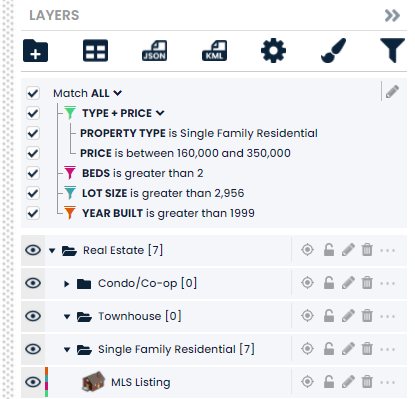








































Filter Layers Based on Attributes
You can add filters to a map to find layers you are looking for.
Get Started
Adding filters in Scribble Maps is easy. It requires 4 steps.-
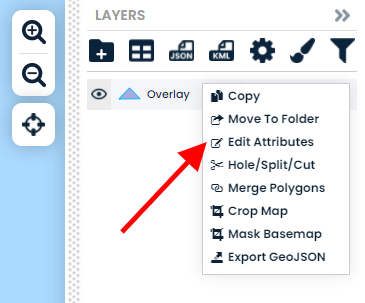
Step 1: Add data with attributes
Import data with attributes alternatively you can manually add attributes to layers.
-
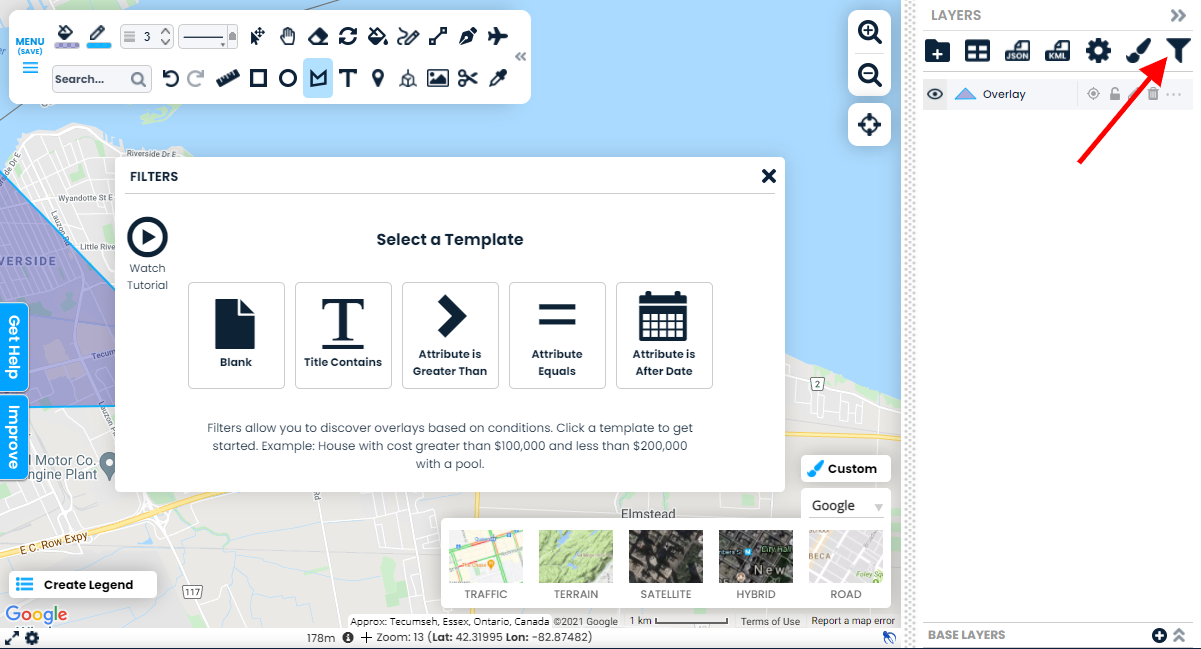
Step 2: Select The Filter Panel
Select the filter panel to begin adding filters.
-
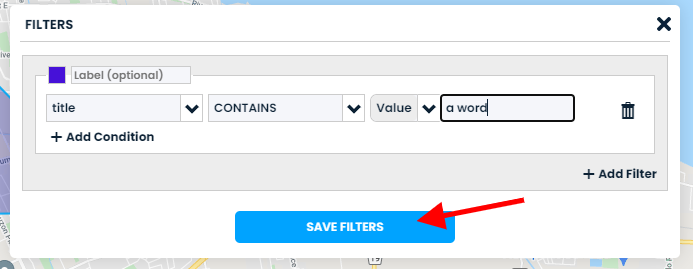
Step 3: Add Filters
Select a template and add some filters. When complete click save filters.
-
View your filtered layers
You can now add even more filters to find exactly what you are looking for.