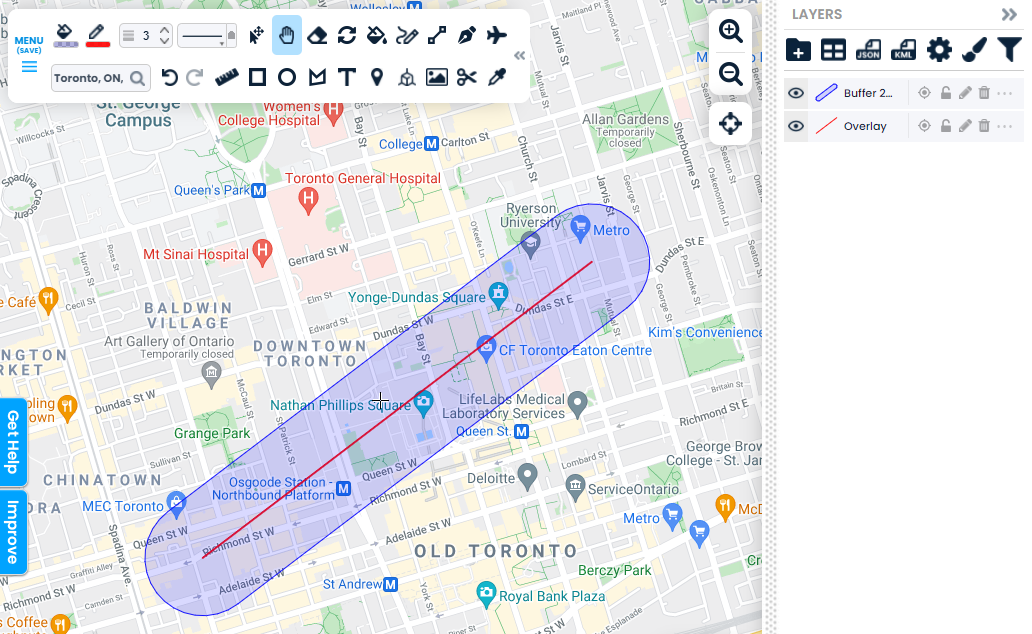







































Create areas surrounding shapes for analysis.
Get Started
Creating a buffer in Scribble Maps is easy. It requires 3 steps.
-
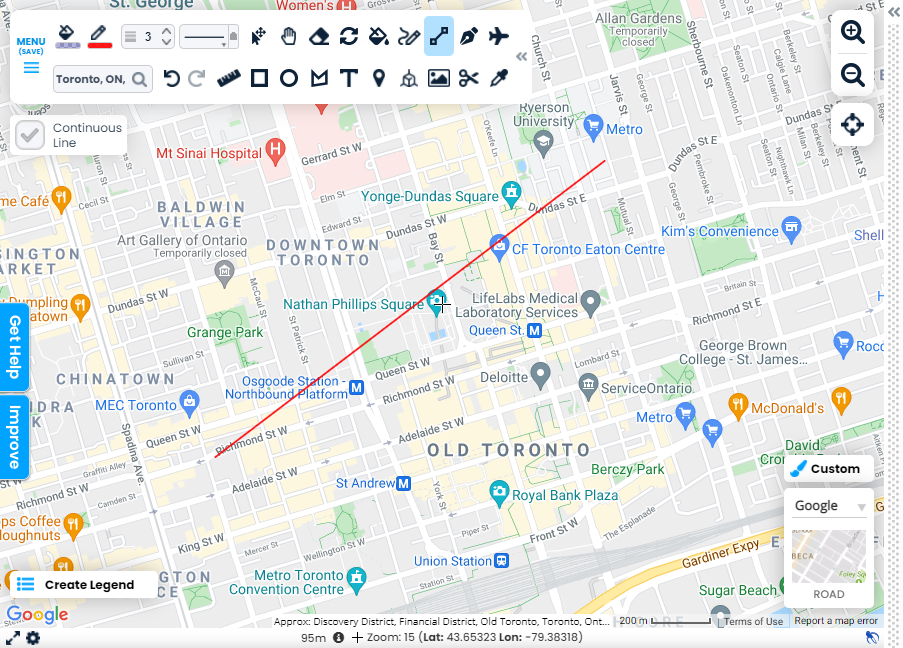
Step 1: Add Data to The Map
Use the drawing tools to add lines and shapes to the map.
-
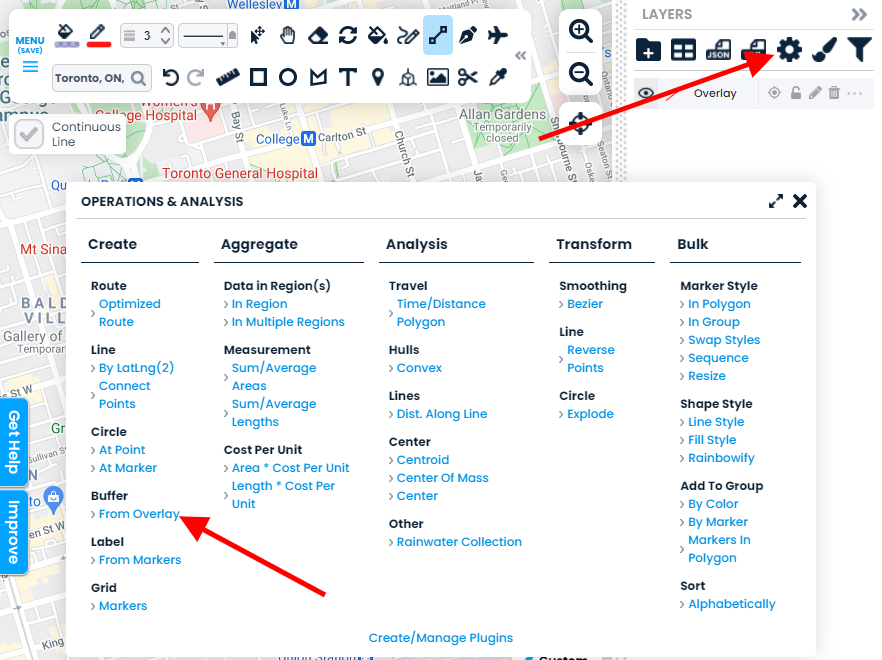
Step 2: Open operations & Analysis
Open operations & analysis and click Create > Buffer > from Overlay
-
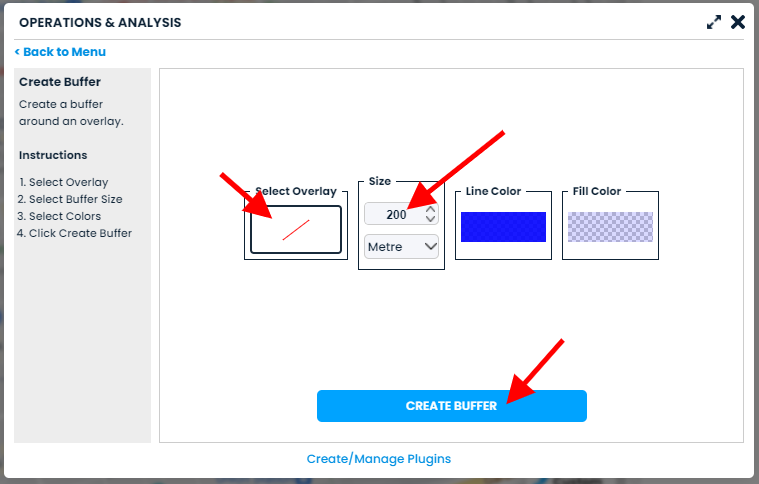
Step 3: Select Overlay & Options
Follow the instructions and select your options. Then click the "Create Buffer" button
-
Review Your New Buffer
View your buffer! You can now use it in analysis.