
 English
 Español
 Français
 Deutsch
 Português
 日本語
日本語
 中文
中文
 العربية
 한국어
한국어
 Italiano
 Русский
 Türkçe
 Nederlands
 Polski
 हिन्दी


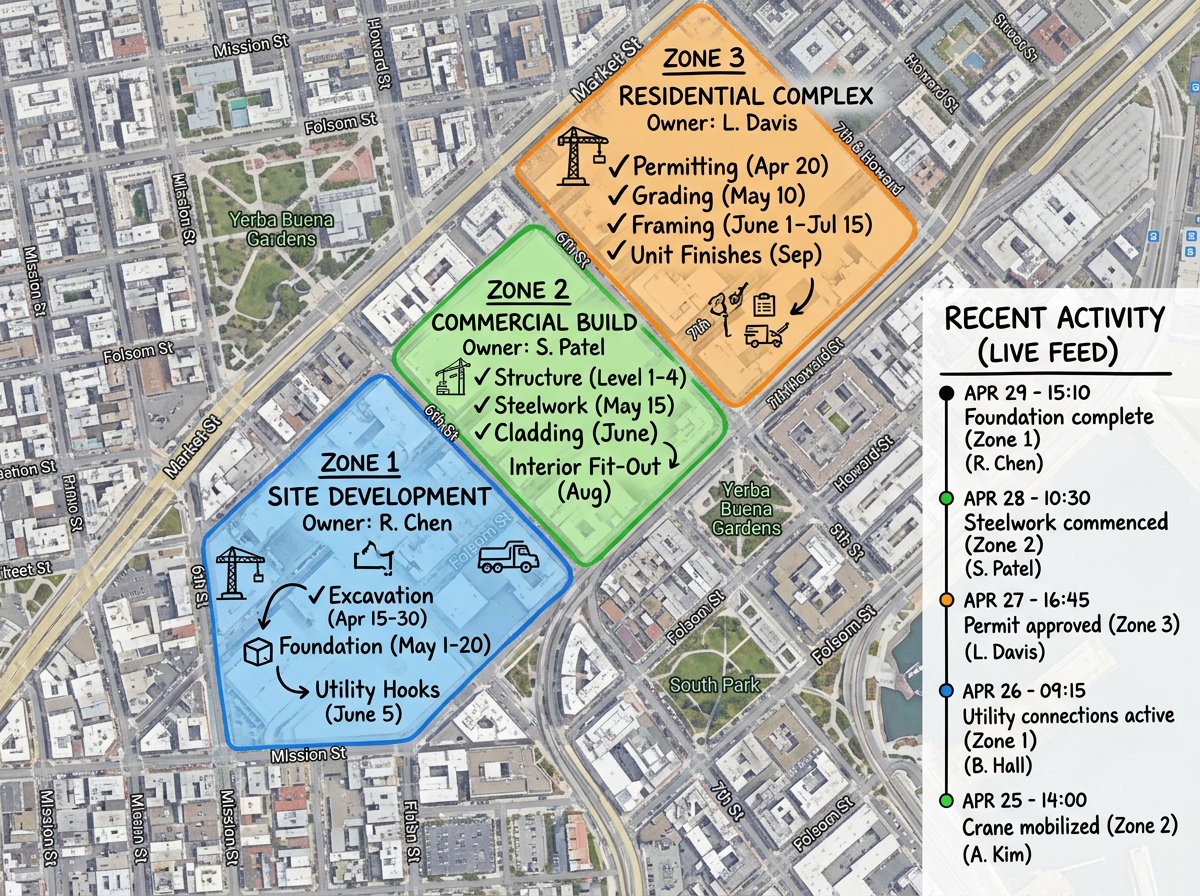
Project planning with a team
Pin sites, draw zones, and assign owners on one shared map. Each person updates the parts they own and the team always sees the latest plan.
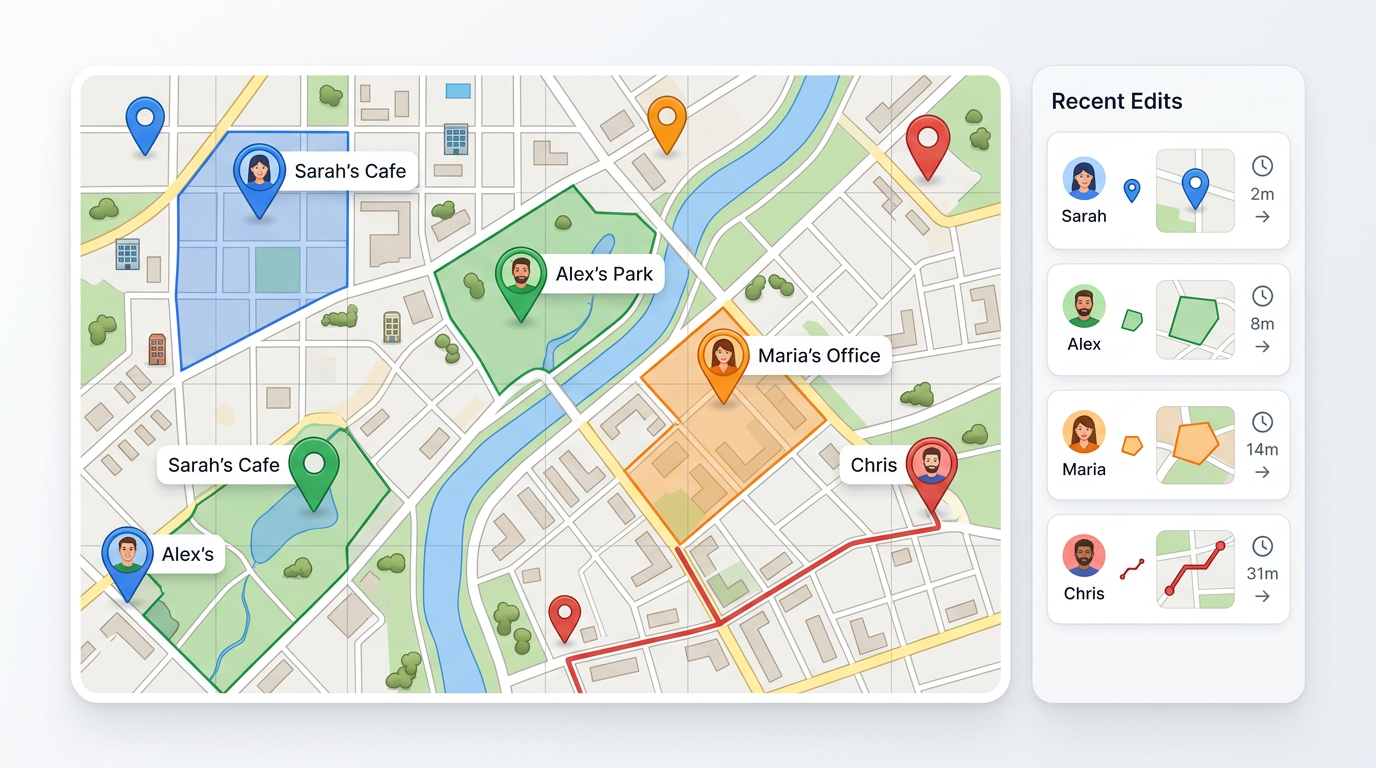
Build a map together. Share it with editors, viewers, or a private link. Each teammate adds pins, notes, and shapes from a browser. No app, no installs, and no GIS training.
★ ★ ★ ★ ★“The best feature I like most about Scribble Maps is the ability to collaborate and share maps with co-workers. It is convenient to work on a map with multiple persons simultaneously.”
Pick who can view, who can edit, and who needs a password. Invite by email or send a link. Revoke access any time.
Teammates drop pins, draw shapes, and add notes from a browser. The map keeps a history so you can see what changed and roll back if you need to.
Import a CSV or Excel file as a starting layer. Use separate layers per team or per task so people work side by side without stepping on each other.
Pin sites, draw zones, and assign owners on one shared map. Each person updates the parts they own and the team always sees the latest plan.
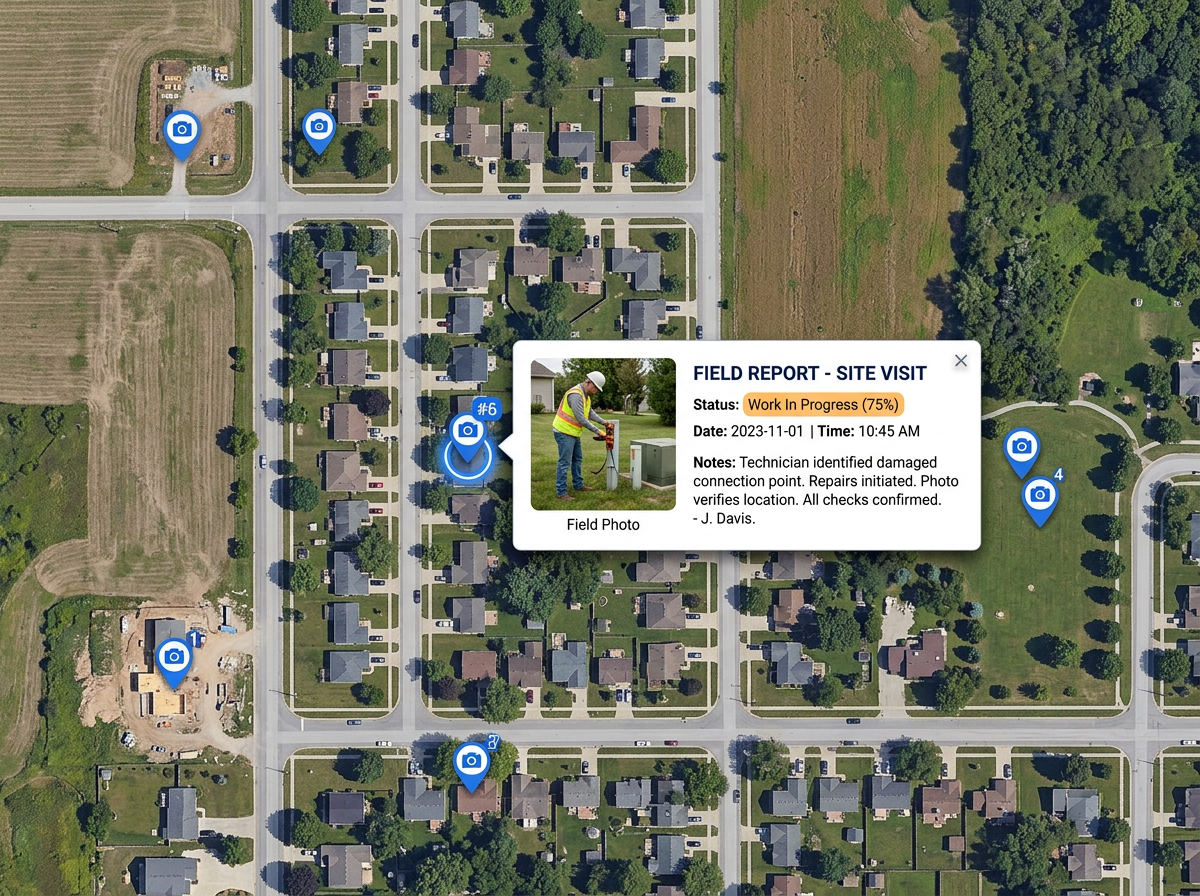
Crews drop pins, photos, and notes from the field. The office sees the new pins the next time they refresh the map and acts on them right away.
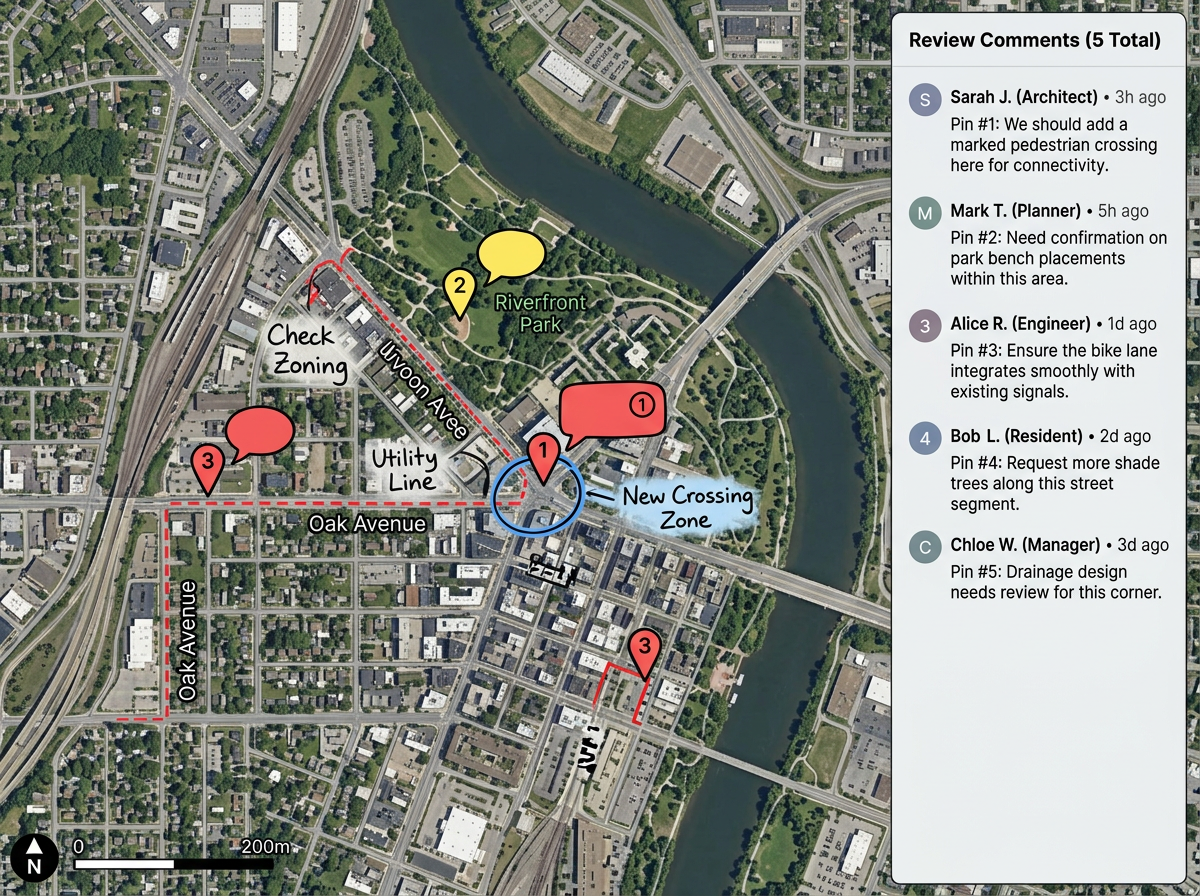
Build a draft map, hand it off for review, and let reviewers add comments without breaking the original. Approve and publish when it is ready.
Scribble AI
Tell Scribble AI what you need. Try “draw a 500m buffer around every site,” “import this CSV and color by status,” or “measure the route from the depot to each stop.” It does it in seconds. No GIS training needed, and your team gets the same map, ready to share.
Try Scribble AI →You build a map, invite teammates, and pick who can view or edit. Everyone opens the map in a browser. Each person adds pins, shapes, and notes, and the map keeps a history of changes.
Edits do not appear live as someone else types. Teammates see the latest version when they open or refresh the map. For most planning and reporting work that is exactly what teams need.
Yes. Set roles for view, edit, and comment. Invite by email for tighter control, or share a link for casual collaborators.
Yes. The map keeps an edit history so you can review changes by user. If something goes wrong you can roll back.